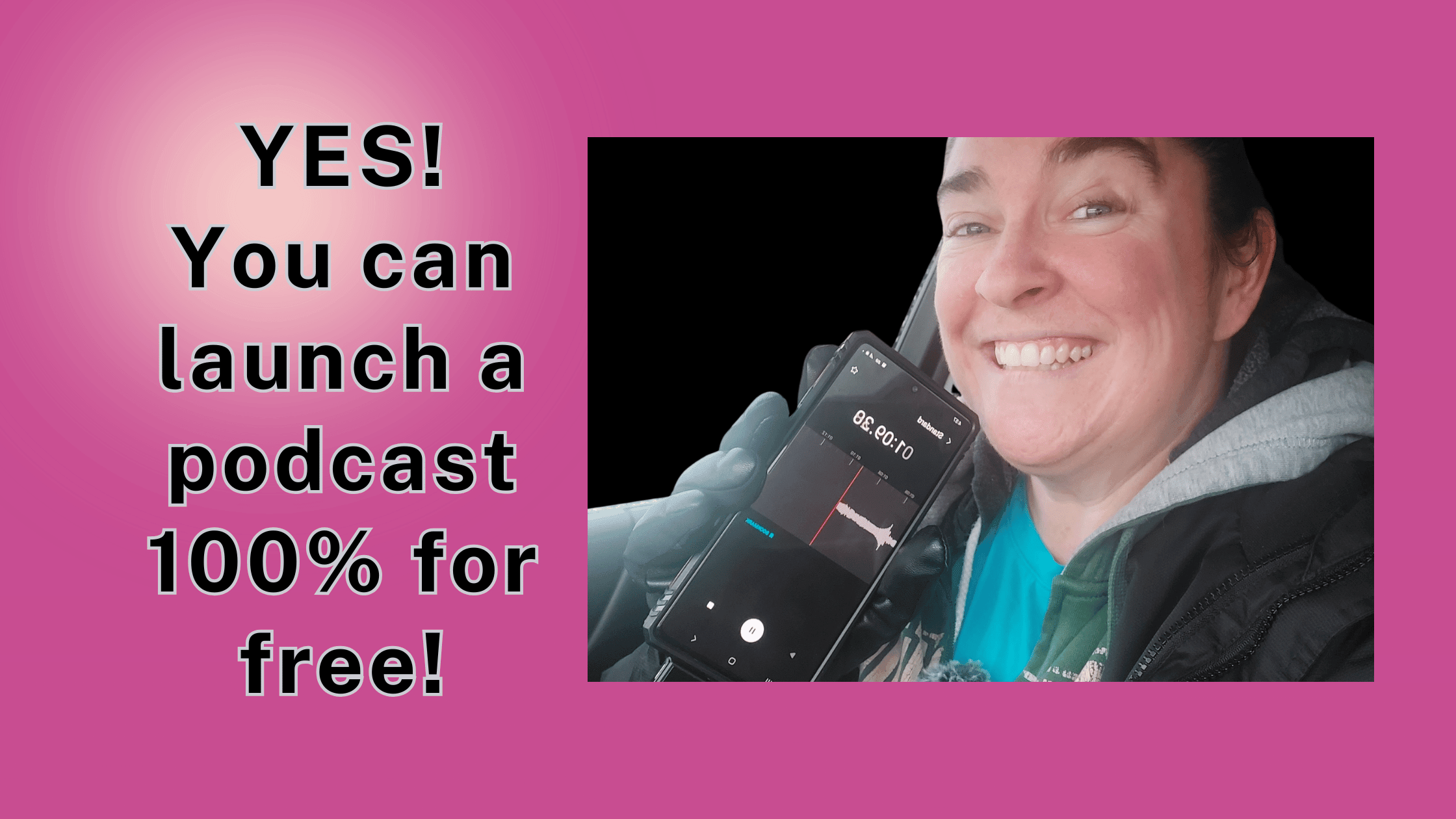
Learn how to start a free podcast from your car in 30 days. Just your phone, a free RSS.com account, and a parking lot. No gear. No tech skills. Let’s go.
I want to tell you something real quick before we get into all the steps. I recorded my podcast More Movement Please from my car. Not because I had to. Because it turned out that a parked car is actually one of the best recording environments you’ll ever find. Soft surfaces everywhere. No echo. No one walking through to ask what you want for dinner.
I’ve been podcasting since April Fool’s Day 2020. (I launched on that date on purpose so I could deny the whole thing if it tanked.) I’ve hosted three shows. I’ve been to Podcast Movement conferences. And in October 2025, I started fresh with nothing but my phone and a free account.
This whole series is me showing you how I did it, and how you can do the exact same thing.
Full disclosure: I’m a proud brand ambassador, affiliate, and social media content strategist for RSS.com, the podcast hosting platform I’ve personally used since April 2020. I only recommend what I actually use. If you sign up for a paid plan through my link, I earn a small commission at no extra cost to you. Thank you for supporting my work!
Reach out to and send me your podcast questions!
Start Here: Watch These Two Videos First
Before you read another word, watch these. The first one shows you exactly how I launched a podcast from my car. The second walks you through setting up your free account on RSS.com step by step. These two videos will get you 80% of the way there on their own.
▶ Video 1 — How I Started a Podcast From My Car
▶ Video 2 — Getting Started With RSS.com (Full Walkthrough)
The 30-Day Podcast Launch Plan
I broke everything down into 30 short daily videos so it doesn’t feel overwhelming. Each one is a single topic. You watch, you do the thing, you come back tomorrow. That’s it. Those will start rolling out April 7 as part of Pat Flynn’s 14-day video challenge! Yes, I know – I filmed 30…but this was under the assumption his Q2 challenge would also be 30 days 😅
That said, don’t let the 30-day label fool you.
🚀 You Could Launch This Weekend If You Wanted To
The 30-day format is great if you want to go one step at a time. But if you’re the type of person who just buckles down and batches through things, you could run through all of this content in a weekend and have your podcast live before Monday. Seriously. The steps don’t change. Only the pace does.
Below is what the full 30 days covers. Prefer to watch? Check out the playlist:
Days 1–7: Get Clear and Get Ready
This first week is all about figuring out the basics before you ever hit record. Your topic, your audience, your name, and how podcast hosting works. This is the foundation. It’s also where most people spend way too long, so I’m going to help you move through it fast.
| Day | Topic | What You’ll Do |
| Day 0 | What is this challenge? | Find out why I’m recording 30 videos in my car |
| Day 1 | Meet Your Parking Lot Professor | Understand why you’re here and what’s possible from a parking lot. |
| Day 2 | Your Phone IS Your Studio | Learn why you already have everything you need in terms of podcast studios. |
| Day 3 | What’s Your Show About? | Nail down your topic and why people should tune in. |
| Day 4 | Who Are You Talking To? | Define your listener so every episode feels personal to them. |
| Day 5 | Naming Your Podcast Learn more about podcast names | Four questions that make the right name obvious. |
| Day 6 | What Is a Podcast Host? Learn more about podcast hosting | Plain-English explanation of what it is and why you need one. |
| Day 7 | Wait, It’s Actually Free? | Exactly what’s included in the RSS.com Free Local and Niche plan. |
💡 Quick Note on the Free Plan
The RSS.com Free Local and Niche plan is genuinely free. No credit card required to sign up. No trial period that quietly flips to a charge. You get unlimited episodes, distribution to Spotify and Apple Podcasts, a free podcast website, and 24/7 customer support. That’s what you’re building on.
Days 8–14: Set It All Up
Week two is setup week. This is where you get everything in place so when it’s time to record, there’s nothing in your way. Distribution. Audio quality. Cover art. Your podcast website. By the end of day 14, your show will exist. It just won’t have episodes yet.
| Day | Topic | What You’ll Do |
| Day 8 | Distribution Made Simple RSS.com walks you through getting on all the directories! | How your podcast gets to every platform automatically with no extra work. |
| Day 9 | How My Car Sounds Like a Studio | The free tool that cleans up your audio with one click. (It’s Adobe Podcast, and it’s wild.) |
| Day 10 | Podcast Cover Art in 10 Minutes Learn more about podcast cover art. | Free. On your phone. Using Canva. Done. |
| Day 11 | Your Free Podcast Website | It goes live automatically the second you publish. No coding. Ever. |
| Day 12 | The Feature That Finds Listeners While You Sleep | Why automatic transcripts are one of the smartest things you can use for discoverability. |
| Day 13 | Why 2026 Is the Best Time to Start | People want real human voices more than ever right now. Yours included. |
| Day 14 | Week 2 Recap | A quick check-in before you move into recording mode. |
A quick word on podcast editing, because it’s probably the thing you’re most nervous about: you don’t need to do much of it when you’re just starting out. Adobe Podcast’s free Enhance Speech tool handles background noise, balances your levels, and makes your audio sound clean before you ever upload anything. That covers 90% of what editing actually needs to do. You’re not making a BBC documentary. You’re making a podcast. Record it, enhance it, upload it, done.
Days 15–21: Record and Launch
This is the fun part. Or the scary part, depending on how you look at it. Either way, by the end of this week you’ll have recorded your first episodes and hit publish. That’s the whole goal.
| Day | Topic | What You’ll Do |
| Day 15 | How Long Should Episodes Be? | The answer is probably shorter than you think. |
| Day 16 | Script vs. Wing It | Three formats and how to figure out which one fits your style. |
| Day 17 | Where Episode Ideas Come From | My actual idea pipeline and how to build yours. |
| Day 18 | Recording Your First Episode | What to say, how to open, and how to close with a strong call to action. |
| Day 19 | How to Upload and Publish | Full walkthrough of getting your episode live on RSS.com. |
| Day 20 | Why I Film 5 Videos a Day | The batching method that keeps your schedule alive even when life gets weird. |
| Day 21 | What I Wish Someone Had Told Me | Real talk from someone who’s been podcasting since 2020. |
Days 22–30: Grow and Keep Going
Your show is live. Now what? This last stretch is all about momentum. Promoting your show, understanding your numbers, staying consistent, and building an audience that actually keeps coming back.
| Day | Topic | What You’ll Do |
| Day 22 | How to Promote Your Show | Simple strategies that don’t need a big following to start working. |
| Day 23 | Your Podcast Website as a Marketing Tool | How your free site can actively help you grow your audience. |
| Day 24 | Make Money Podcasting | There are so many ways to make money as a podcaster. See them all here. |
| Day 25 | Building an Audience From Zero | What to do before and right after you launch. |
| Day 26 | Podcasting 2.0 Features | Chapters, live streaming, value for value, and more stuff most new podcasters don’t know about. |
| Day 27 | What I Did When Nobody Was Listening | Honest talk about early numbers and how to push through them. |
| Day 28 | Consistency Without Burning Out | How to stay on schedule without making podcasting feel like a second job. |
| Day 29 | What Comes After Your First 10 Episodes | How to evaluate, adjust, and keep building momentum. |
| Day 30 | Your Podcast Exists. Now What? | The final parking lot pep talk. And why starting was the hardest part. |
Got Questions About Starting Your Show?
Send them my way! I read every question and use them to create more content. Stuck on your podcast name? Not sure how to structure an episode? Confused about something technical? Ask me anything.
Send Me Your Podcast Questions
Should You Ever Pay for Podcast Hosting?
The free plan will genuinely get you started and keep you going for a long time. But at some point, you might want more. I made a full video breaking down exactly when paying makes sense, what you actually get for your money, and whether it’s worth it for where you are right now.
Watch it before you decide anything. No pressure either way.
▶ Video 3 — Why You Should Pay for Podcast Hosting (And When)
What Upgrades Actually Do For You
When you’re ready to grow, a paid plan on RSS.com adds some features that are worth the money. The biggest one for me is automatic AI-powered transcripts. Google can’t listen to your podcast, but it can read a transcript. That means your episodes can show up in search results when someone is looking for exactly what you talk about. I used to pay $8.99 a month separately just for transcripts. Now it’s included in the plan.
You also get PodViz, which turns your audio episodes into videos you can push straight to YouTube. Detailed analytics. Apple Podcast Subscriptions. The ability to run multiple shows from one dashboard. Paid plans start at $11.99 a month on an annual plan.
Start free. Get some episodes out. See how you like it. Then decide. There’s no rush and no pressure. Your episodes won’t go anywhere, and RSS.com won’t hold your content hostage if you ever want to switch things up. That’s actually one of the reasons I’ve stayed with them since 2020.
Questions I Get All the Time:
Do I need a microphone to start a podcast?
Nope. Your phone’s built-in mic is enough to get going. If you want one upgrade, a clip-on lavalier mic from Amazon runs about $20 and makes a noticeable difference. But buy it after your first episode is live, not before.
How many episodes should I record before I launch?
At least three. One gives listeners nothing to binge. Three gives them a reason to subscribe. If you can batch five before launch, even better.
Does my podcast have to sound perfect?
No. It has to sound clear enough that people aren’t distracted by the audio quality. Adobe Podcast gets you there for free. Perfect is the enemy of published.
Can I really do this from my phone?
I did it. From a parking lot. With a six-year-old phone. Yes.
✅ Your Podcast Launch Checklist
Print this out, save it, screenshot it. Work through it at whatever pace feels right. Every box you check is one step closer to your first episode being live.
Before You Record Anything
- Decide on your podcast topic and what makes it different from other shows
- Define who your listener is (be as specific as possible)
- Pick a name that’s clear, easy to say, and sounds like you
- Write a one-sentence description of your show
- Brainstorm your first 10 episode topics
- Decide on your episode format: solo, interview, or co-hosted
- Decide how long your episodes will be
Set Up Your Account
- Create your free account at RSS.com(no credit card needed)
- Create your cover art in Canva (3000 x 3000 px, readable at thumbnail size)
- Write your show description
- Set up your podcast and upload your cover art
- Connect distribution so your show goes to Spotify, Apple Podcasts, and Amazon Music automatically
- Check that your free podcast website is ready to go
Record Your First Episodes
- Download the free Voice Memos app (already on your iPhone) or similar on Android
- Find a quiet spot (your car works great)
- Outline your first episode: one topic, three to five points, a strong opening line, and a call to action
- Record your first episode
- Run it through Adobe Podcast’s free Enhance Speech tool to clean up the audio
- Record at least two more episodes before you launch (so new listeners have something to binge)
Launch
- Upload your first episode to RSS.com
- Write a short episode title and description
- Set your publish date and schedule at least two more episodes
- Tell people it’s live. Post about it. Text your people. Make some noise.
- Reply to every comment and message from your first listeners
Keep Going
- Batch record your next round of episodes instead of recording one at a time
- Check your analytics after your first month to see what’s resonating
- Write basic show notes for each episode and publish them on your podcast website. Google can’t listen to your show, but it can read your show notes. This is free SEO and most new podcasters skip it entirely.
- Start building your episode idea list so you never feel stuck
- Engage with your listeners and ask them what they want more of
- Decide whether a paid plan makes sense for where your show is heading
- Send me your questions anytime. I genuinely love hearing from people who are building their shows.
Your podcast doesn’t have to be perfect. It doesn’t need a fancy intro or a studio or a microphone that costs as much as a car payment. It needs a topic, a phone, a free account, and you deciding to start.
Go park somewhere quiet and hit record. And when your show is live, drop the link here. I want to be one of your first listeners. I mean that.


Very useful breakdown. Made everything click.