The Beginner’s Guide to Podcast Monetization: How RSS.com and CastMagic Can Help

TLDR; Discover various strategies for monetizing your podcast using RSS.com’s features and CastMagic’s content repurposing to maximize your earning potential.

Podcasting has rapidly grown in popularity, becoming a favored medium for sharing information, stories, and entertainment. With this surge in popularity comes the potential for monetizing your podcast, turning a passion project into a source of income. For many podcasters, the idea of making money from their content is both exciting and daunting.

This guide will explore various strategies for podcast monetization and demonstrate how tools like RSS.com and CastMagic can support your efforts. By leveraging these platforms, you can streamline your monetization process and maximize your podcast’s earning potential.

Understanding Podcast Monetization

Income Taxes Blonde Haired Boy Holding Money Stack

Monetizing your podcast is essential for sustaining and growing your content. It allows you to invest in better equipment, marketing, and possibly even additional team members to enhance your production quality. There are several strategies podcasters can use to generate revenue, each with its own set of benefits and challenges.

One common approach is through sponsorships and advertising. Another popular method is affiliate marketing, where you earn a commission for promoting other companies’ products and driving sales through your unique affiliate links. Creating and selling your own products or services, such as merchandise, online courses, or consulting services, is another effective way to monetize your podcast. Additionally, listener support and crowdfunding platforms like Patreon or Buy Me a Coffee allow your audience to contribute financially in exchange for exclusive content or perks.

Several factors can influence your podcast’s monetization potential. The size and engagement level of your audience play a significant role. The niche or topic of your podcast also matters as some subjects attract more lucrative sponsorships than others. Consistency and quality of your content are crucial as well; a professionally produced podcast with regular uploads is more attractive to potential sponsors and listeners.

Sponsorships and Advertising

Sponsorships and advertising are among the most common and lucrative ways to monetize a podcast. These methods involve partnering with brands that pay to have their products or services mentioned or promoted during your podcast episodes. Here’s a closer look at how you can leverage these opportunities.

The basics of podcast sponsorships and advertising involve placing ads at specific points in your episodes. These ads can be pre-roll (before the episode starts), mid-roll (during the episode), or post-roll (after the episode ends). Each type of ad has its benefits and pricing structures, with mid-roll ads often commanding higher rates due to their placement within the main content.

Finding and securing sponsors for your podcast requires some effort. Start by identifying brands that align with your podcast’s content and audience. Reach out to these potential sponsors with a media kit that includes details about your podcast, listener demographics, and engagement metrics. 

RSS.com will soon support dynamic ad insertion, a feature that will allow you to insert ads into your episodes seamlessly. This feature is already available to some podcasters with high download volume.

Dynamic ad insertion can help you maximize revenue by allowing you to serve different ads to different listeners based on factors such as location or listener behavior. 

Affiliate Marketing

Affiliate marketing is another effective strategy for podcast monetization. To succeed in affiliate marketing, it’s crucial to choose relevant affiliate products or services that align with your podcast’s niche and audience interests. Promoting products that your listeners are likely to find valuable increases the chances of generating sales and earning commissions. 

By automatically transcribing your podcast episodes, CastMagic makes it easy to identify key points and segments where affiliate promotions can be seamlessly integrated. You can use these transcriptions to create detailed show notes, blog posts, or social media content that includes your affiliate links. 

Affiliate marketing offers the advantage of earning passive income. Once you’ve integrated your affiliate links into your content, those links can continue to generate revenue over time as new listeners discover your episodes and related content. 

Creating and Selling Your Own Products or Services

Creating and selling your own products or services is a powerful way to monetize your podcast and establish multiple income streams. Types of products or services include merchandise, online courses, e-books, and personalized services like coaching.

Using your podcast to promote these products or services is a natural fit. Mention them in your episodes, incorporate them into your show notes, and promote them through social media channels. CastMagic’s content repurposing features can aid in this process by quickly generating written content from transcriptions. This content can be used for blog posts, product descriptions, or email newsletters, ensuring that your promotional materials are consistent and high-quality.

Listener Support and Crowdfunding

Listener support and crowdfunding involve asking your audience to contribute financially to support your podcast, often in exchange for exclusive content or perks. 

Platforms like Patreon and Buy Me a Coffee make it easy to set up a support system where listeners can make one-time donations or subscribe for regular contributions. In return, you can offer exclusive content, early access to episodes, or other perks that add value for your supporters.

Offering exclusive content and perks helps to incentivize contributions and makes your supporters feel appreciated. RSS.com’s private podcasting features support listener exclusivity by creating private feeds for your paying supporters.

Sponsored Content and Brand Partnerships

Sponsored content and brand partnerships involve collaborating with companies that align with your content and audience. Sponsored content should feel authentic and valuable to your listeners to maintain trust and credibility.

Securing brand partnerships requires identifying brands that align with your podcast’s niche and values and reaching out with a proposal that outlines the benefits of collaboration. CastMagic can help by transcribing your episodes to identify natural points for brand mentions and by generating branded content assets, such as social media posts or blog articles. 

Monetizing Your Podcast Website and Blog

Having a dedicated website for your podcast is essential for monetization. Your website can host display ads and banner advertisements, providing a passive income stream. Additionally, you can use affiliate links and product recommendations within your blog posts to earn commissions on sales. 

A well-designed website enhances your podcast’s professionalism and offers more engagement opportunities. RSS.com’s customizable website templates support these monetization efforts by providing a professional and easy-to-navigate platform for your audience. 

Integrating your podcast episodes with relevant blog content, ads, and affiliate links ensures a seamless experience for visitors, encouraging longer visits and more interactions. By effectively utilizing your podcast website and blog, you can generate additional revenue and strengthen your podcast’s online presence.

Leveraging Your Podcast for Speaking Engagements and Workshops

Your podcast can establish you as an authority in your niche, opening doors for speaking engagements and workshops. By showcasing your expertise and building a loyal audience, you become a sought-after speaker for industry events, conferences, and educational workshops. 

Use your podcast episodes to highlight your knowledge and experience, and mention your availability for speaking engagements. CastMagic can assist by transcribing your episodes and repurposing content for promotional materials, such as speaker bios, presentation summaries, and workshop outlines. 

Repurposing your podcast content into speaking engagements not only enhances your credibility but also provides additional revenue streams, further monetizing your podcast efforts.

Best Practices for Podcast Monetization

  1. Provide Value: Ensure your content is valuable and relevant to your listeners. High-quality content attracts sponsors and loyal listeners.
  2. Be Authentic: Authenticity builds trust. Be transparent about your monetization methods and maintain your podcast’s integrity.
  3. Diversify Income Streams: Don’t rely on a single monetization method. Explore multiple strategies like ads, affiliate marketing, and merchandise.
  4. Engage Your Audience: Foster a strong relationship with your audience. Engaged listeners are more likely to support your monetization efforts.
  5. Continuously Improve: Regularly review and refine your monetization strategies based on feedback and analytics. Stay adaptable to maximize revenue.

Final Thoughts

Combining the features of RSS.com and CastMagic can significantly boost your podcast’s monetization potential. Experiment with various strategies to discover what resonates best with your audience. With dedication and strategic planning, you can turn your podcast into a sustainable source of income.

Start your podcast today and use code RSSFREEMONTH at check out for a free month of podcast hosting!

And, get started with CastMagic here!

Already have a podcast? Switch from your current host today and get six months free of podcasting!


Enhancing Podcast Accessibility with CastMagic’s Transcription and RSS.com’s Podcast Website

TLDR; Enhance your podcast’s accessibility using CastMagic’s transcription and RSS.com’s podcast website features to reach a broader audience and improve engagement.

In the ever-growing world of podcasting, accessibility is crucial for reaching a wider audience and ensuring that all listeners can enjoy your content. Making your podcast accessible not only benefits those with hearing impairments or disabilities but also enhances overall user experience and engagement. 

Tools like CastMagic’s transcription services and RSS.com’s customizable podcast websites can significantly improve accessibility. By leveraging these features, you can create an inclusive podcast that resonates with a diverse audience, ultimately growing your listener base and fostering a more engaging community.

Understanding Podcast Accessibility

Podcast accessibility refers to making your podcast content available and enjoyable for all listeners, including those with disabilities. This is particularly important for individuals with hearing impairments who rely on transcripts to access audio content. 

Accessibility also involves ensuring your podcast website is user-friendly and navigable for people with various disabilities. By prioritizing accessibility, you not only adhere to inclusive practices but also expand your potential audience. An accessible podcast can lead to higher engagement, as listeners appreciate the efforts made to accommodate their needs. 

Not only that, but accessibility features can improve overall user experience, making your podcast more attractive to a broader audience. Ensuring your content is accessible helps build a loyal and diverse listener base, fostering a community that values inclusivity.

The Importance of Podcast Transcription

Podcast transcription plays a vital role in making your content accessible to deaf and hard-of-hearing listeners. By providing written versions of your episodes, you enable these individuals to enjoy your content without the need for audio. 

Transcripts also offer SEO benefits, as search engines can index the text, improving your podcast’s discoverability. This can lead to higher search rankings and more organic traffic to your podcast website. 

Additionally, transcripts enhance listener comprehension and engagement by allowing all audience members to follow along with the content more easily. They can reference specific parts of the episode, revisit important points, and share excerpts with others. 

Overall, incorporating transcripts into your podcast strategy not only broadens your audience but also boosts engagement and discoverability, making your podcast more successful and inclusive.

CastMagic’s Transcription Features

CastMagic offers powerful transcription features designed to enhance podcast accessibility. The platform automatically transcribes your podcast episodes with high accuracy and quick turnaround times, ensuring that your content is promptly available in written form. 

Additionally, CastMagic provides editing and formatting options, allowing you to refine transcripts to suit your needs. These transcripts can be easily exported for use on your podcast website and other platforms, making it simple to share your content with a broader audience. 

Improving Accessibility with RSS.com’s Podcast Website

Having a dedicated podcast website is essential for improving accessibility and user experience. RSS.com offers customizable podcast website templates that are designed to enhance accessibility for all users. 

These templates are responsive and mobile-friendly, ensuring that your content is easily accessible on any device. A dedicated website allows you to centralize your podcast content, including transcripts, show notes, and additional resources, making it easier for listeners to find and engage with your episodes. 

By leveraging RSS.com’s podcast website features, you can create a more inclusive and user-friendly platform for your audience.

Incorporating Transcripts on Your RSS.com Podcast Website

Incorporating transcripts on your RSS.com podcast website is a straightforward process that significantly enhances accessibility. Start by adding transcripts to your episode pages, ensuring they are easy to find and read. Proper formatting is crucial; use clear headings, subheadings, and bullet points to improve readability. 

Additionally, provide download options for transcripts, allowing listeners to access them offline. Encourage your audience to utilize transcripts for a better experience, whether they have hearing impairments or prefer reading over listening. By making transcripts readily available, you improve the overall accessibility and user experience of your podcast website, reaching a broader audience.

Making Your Podcast Website Accessible with RSS.com

Ensuring your podcast website is accessible involves several important steps. Here are some best practices to follow:

  1. Responsive and Mobile-Friendly Design: Ensure your website works well on all devices, including smartphones and tablets. A responsive design improves the user experience for all visitors.
  2. Clear and Readable Fonts and Color Contrasts: Use fonts that are easy to read and ensure there is enough contrast between text and background colors. This helps users with visual impairments.
  3. Alternative Text for Images and Graphics: Provide descriptive alt text for all images and graphics. This allows screen readers to convey the content to visually impaired users.
  4. Accessible Navigation and Site Structure: Create a logical and intuitive navigation structure. Use clear headings, subheadings, and a consistent layout to make it easy for users to find what they need.

By implementing these practices, you can create a more inclusive and user-friendly podcast website.

Additional Accessibility Features to Consider

Enhancing accessibility goes beyond transcripts and website design. Consider providing show notes and episode summaries to give listeners a quick overview of your content. Including chapters and timestamps can help users navigate episodes more easily. 

Offering multiple formats for consuming your podcast, such as audio, video, and text, caters to different preferences and needs. Finally, ensure your podcast player is accessible and user-friendly, supporting features like keyboard navigation and screen reader compatibility. 

These additional features make your podcast more accessible and enjoyable for all listeners, broadening your reach and engagement.

Promoting Your Podcast’s Accessibility Features

Promoting the accessibility features of your podcast is essential to ensure that your efforts reach the intended audience. 

Start by highlighting these features in your podcast’s description and marketing materials. Clearly mention that your episodes come with transcripts and are accessible to all listeners. Use your social media platforms to showcase these features, emphasizing how they enhance the listening experience for people with disabilities. 

Also, encourage your listeners to share your podcast with friends and family who may benefit from these accessibility enhancements. Word-of-mouth recommendations can significantly increase your reach within communities that prioritize accessible content. 

Seeking feedback from listeners with disabilities is also crucial. Actively ask for their input on how you can improve accessibility further and implement their suggestions. This not only helps you refine your approach but also demonstrates your commitment to inclusivity and continuous improvement.

The Benefits of Making Your Podcast Accessible

  1. Consistency in Branding and Messaging: Ensure your branding and messaging are consistent across all platforms. This helps in building a recognizable and trustworthy brand.
  2. Engage with Your Audience: Actively respond to comments and messages. Engagement fosters a loyal community and encourages more interaction.
  3. Cross-Promote Your Episodes: Share your podcast episodes on multiple channels to reach a broader audience. Use different formats and content to keep it fresh.
  4. Track and Analyze Performance: Use analytics tools to monitor the performance of your posts. Understand what works best and refine your strategy accordingly.
  5. Use High-Quality Visuals: Invest in creating or using high-quality images and videos. Good visuals attract more attention and engagement on social media.

Final Thoughts

Combining the powerful features of RSS.com and CastMagic simplifies podcast promotion, making it more efficient and effective. By leveraging these tools, you can enhance your reach, engage your audience, and grow your podcast with ease. 

RSS.com’s embedded players ensure your episodes are accessible and visually appealing, while CastMagic’s social media assets streamline content creation and distribution. These platforms not only save you time but also help maintain a professional and consistent brand presence.

Start your podcast today and use code RSSFREEMONTH at check out for a free month of podcast hosting!

And, get started with CastMagic here!
Already have a podcast? Switch from your current host today and get six months free of podcasting!

Repurposing Your Podcast Content for Maximum Impact with CastMagic

TLDR; Repurpose your podcast content effectively using CastMagic to reach new audiences, extend your content’s lifespan, and save time. Learn how these tools simplify the process, ensuring maximum impact and consistent branding across multiple platforms.

Repurposing podcast content is a powerful strategy to maximize content impact, reach new audiences, and extend its lifespan. However, creating and distributing repurposed content can be challenging, often requiring significant time and effort. This is where CastMagic comes into play. By leveraging CastMagic’s AI-powered transcription and content generation capabilities podcasters can streamline the repurposing process.

In this article, we’ll explore the value of repurposing podcast content, the challenges involved, and how CastMagic can help you achieve maximum impact with minimal effort. This tool simplifies the creation of engaging show notes, blog posts, social media assets, and more, allowing you to focus on what you do best – creating great podcast episodes.

Benefits of Repurposing Your Podcast Content

  • Reaching new audiences on different platforms: By repurposing your podcast content, you can expand your reach beyond your current listeners. Sharing content on blogs, social media, newsletters, and other platforms allows you to engage with audience segments who might prefer consuming content in different formats.
  • Increasing your content’s lifespan and visibility: Repurposing helps keep your content relevant over time by presenting it in multiple formats. This approach ensures that your content remains discoverable long after the original podcast episode has been released.
  • Saving time and effort in content creation: By leveraging existing podcast material, you can reduce the time and effort required to create new content from scratch. Tools like CastMagic’s AI-powered transcription and content generation features can streamline the process, making it easier to produce engaging show notes, blog posts, and social media assets.
  • Reinforcing your message and brand: Consistently conveying your key messages and branding across various content types and platforms strengthens your podcast’s authority and credibility. Repurposing high-quality content that resonates with your audience helps reinforce your brand, ensuring that your messaging remains consistent and impactful.

Repurposing Your Podcast Content with CastMagic

Step 1: Transcribe Your Podcast Episodes 

Transcribing your podcast episodes is the first step in repurposing your content. Accurate transcriptions are essential as they provide a written record of your podcast, making it easier to create various forms of content. 

CastMagic’s AI-powered transcription tool simplifies this process by quickly and accurately converting your audio into text. To get started, upload your podcast episodes to CastMagic, which will analyze the audio and generate a detailed transcript. Once the transcription is complete, you can review and refine it to ensure it captures all the essential points and nuances of your episode. 

This refined transcript serves as a foundation for creating show notes, blog posts, social media content, and more, enabling you to maximize the value of your podcast material.

Step 2: Generate Show Notes and Summaries 

Generating show notes and summaries is a crucial step in promoting your podcast episodes. Show notes provide listeners with a concise overview of the episode, including key points, topics discussed, and guest information. Using CastMagic’s AI-generated show notes and summaries can streamline this process. The AI analyzes your transcript to create a comprehensive summary that highlights the episode’s main points. 

You can customize and edit the generated content to align with your podcast’s voice and style. Adding relevant links, calls-to-action, and images enhances the show notes’ value, providing additional resources for your audience. Well-crafted show notes improve discoverability, engage your listeners, and drive traffic to your podcast by offering a clear and appealing summary of each episode.

Step 3: Create Blog Posts and Articles 

Transforming your podcast episodes into blog posts and articles is an effective way to reach a wider audience. Start by using CastMagic’s transcript as the foundation for your written content. The transcript provides a detailed outline, making it easier to structure and format your blog posts for readability. 

Focus on key points and insights from the episode, expanding on them to create in-depth articles that offer additional value to your readers. Optimizing your blog posts for SEO by incorporating relevant keywords can further enhance visibility and attract more organic traffic.

Step 4: Design Social Media Assets 

Creating visually appealing social media content is essential for promoting your podcast and engaging with your audience. CastMagic’s AI-generated social media assets can simplify this process. The AI analyzes your podcast content and generates eye-catching images, videos, and graphics tailored to your episode’s key points and themes. 

Customize and brand these assets to maintain consistency with your podcast’s visual identity. Incorporate quotes, highlights, and calls to action to make the content more engaging and shareable. Posting these assets on various social media platforms, such as Instagram, X.com, and Facebook, helps increase your podcast’s visibility and attract new listeners. 

Step 5: Promote Your Repurposed Content to Your Audience

Promotion is key to ensuring your repurposed content reaches its full potential. Start by notifying your existing audience about the new content through your email list and newsletters. Engage with your audience on social media by sharing teasers, quotes, and highlights from the repurposed content. 

Encourage your listeners to share the content with their networks, expanding your reach. Collaborate with other creators and influencers to promote your content, leveraging their audiences for greater exposure. Consistent promotion across various channels helps drive traffic to your podcast, increases listener engagement, and attracts new followers to your content.

Step 6: Analyze and Optimize Your Repurposing Strategy

Analyzing the performance of your repurposed content is essential for understanding what resonates best with your audience. Track key metrics such as engagement rates, shares, and traffic generated from repurposed content across various platforms. 

Identify which types of content and formats are most effective in driving audience engagement. Use this data to refine your repurposing workflow, focusing on creating content that delivers the highest impact. 

Continuously experimenting with new formats and distribution channels helps you stay ahead of trends and adapt to your audience’s evolving preferences. Regular analysis and optimization ensure that your repurposing strategy remains effective and contributes to the sustained growth of your podcast.

Content Repurposing Best Practices

Adhering to best practices ensures that your repurposed content maintains high quality and consistency. 

  1. First, maintain consistency in your branding and messaging across all platforms to reinforce your podcast’s identity. 
  2. Tailor your repurposed content to suit the specific platform and audience, ensuring it resonates with different segments. 
  3. Provide unique insights and added value in each piece of repurposed content to keep your audience engaged and interested. 
  4. Balance repurposed content with original content to maintain freshness and variety in your offerings. 

Final Thoughts

Repurposing your podcast content using CastMagic offers long-term benefits by extending its reach and lifespan. By following a consistent and strategic workflow, you can maximize the impact of your podcast, reach new audiences, and save time and effort in content creation.

Start your podcast today and use code RSSFREEMONTH at check out for a free month of podcast hosting! 

Get started with CastMagic here!

Already have a podcast? Switch from your current host today and get six months free of podcasting!

Podcast Workflow Optimization: Integrating RSS.com and CastMagic for Seamless Production

TLDR; Blend RSS.com and CastMagic for a smooth, seamless podcast production workflow that cuts the time and effort needed to produce, while still maintaining high-quality content. Learn more about how these two tools can streamline the creation and distribution of your podcast.

Anyone who’s created, or attempted to create, a podcast knows that there are a lot of moving parts, and managing all of the necessary elements in an efficient manner is critical if you want your podcast to find success. This means an efficient podcast workflow is more than just a time-saving routine, it’s an asset that can help you focus more completely on creating great content, rather than getting stuck in all the repetitive, technical tasks. 

This is where integrating powerful tools like RSS.com and CastMagic can make a world of difference. Leaning on the simple but robust hosting and distribution offered by RSS.com and the potent AI transcription and content generation abilities of Cast Magic, you can trim a lot of valuable time from your production process. In this post, we’re going to look at just what that might look like, and how your podcast can benefit from it.

The Benefits of Optimizing Your Podcast Workflow

When you streamline your production process and optimize your podcast workflow, there are several benefits that you may find difficult to believe you ever lived without.

First of all, it saves time and effort in the creation and distribution stages. With such a streamlined production process, you can move from recording to publishing almost instantly, letting you create more episodes more frequently, reliably, and consistently, and when it comes to successful podcasts, consistency is critical.

You’ll also find that your production stress and burnout are significantly reduced. Podcasting is a demanding task, and managing complex workflows takes its toll. Additionally, by putting more focus on content creation, you can put more energy into being engaging and valuable to your listeners. 

Planning and Pre-Production with RSS.com

Set up your podcast on RSS.com, which is a platform for managing your show that’s super easy to use. Customize your show’s branding and website to reflect your unique style and the show’s personality so you have a cohesive and professional brand presence. 

Create a content calendar and episode templates so that you can stay organized and keep your episodes steadily flowing. Be sure you plan your topics, guests, and recording schedules all in advance so that you’re always prepared to create content.

Recording and Editing Your Podcast Episodes

Recording and editing are crucial steps in producing high-quality episodes for your podcast. Start with standard recording best practices. Choose a quiet environment, use a decent-quality microphone, and perform sound checks to make sure your audio is clear and consistent. 

Efficient editing and post-production provide a significant boost to your average listener’s experience. Be sure to focus on things like removing background noise, balancing audio levels, and cutting out any pauses or other errors. Being able to easily incorporate your intro, outro, and sponsor messages also adds a professional touch.

Transcription and Show Notes with CastMagic

An essential part of making an accessible podcast is transcribing the episodes and generating show notes. Both help make your podcast more accessible and engaging. CastMagic’s AI-powered transcription tool automates most of this, creating accurate and detailed transcripts instantly. 

Once your episodes are transcribed, take the additional time to edit and refine the transcripts to ensure their accuracy and readability. This ensures that not just the conversation, but the nuances of meaning are also captured. You can integrate links, images, and calls to action in your show notes to provide even more value to your audience.  

Publishing and Distribution with RSS.com

Publishing and distributing your podcast episodes efficiently is crucial for reaching and growing your listener base. RSS.com makes this relatively simple with robust hosting and distribution capabilities. 

You’ll start by uploading your episodes, where you’ll be able to manage the content all in one place. Set up the RSS feed for your podcast, so that you can guarantee effortless distribution to all major podcast platforms and directories, from Spotify to Apple Podcasts. 

Scheduling and automating the release of your podcast episodes lets you keep a consistent publishing schedule, which is one of the biggest keys to building and keeping an audience. By adding automation to the process, you can put your focus squarely on creating more content.

Repurposing and Promotion with CastMagic

Repurposing your podcast content into different formats is an effective way to reach more listeners and squeeze even more value and impact from content and assets that you’ve already created. 

CastMagic can help you create blog posts and articles from your transcripts, and visual assets that can be used across all social platforms. Sharing your repurposed content across social media and other channels helps maintain a steady flow of promotional material, keeping your audience engaged.

Analyzing and Optimizing Your Podcast Performance

Once your podcast is up and running, you’ll want to keep it growing and improving, making it essential to monitor and analyze its performance. RSS.com provides detailed data analytics and performance metrics that can give you valuable insights into your lister base and engagement levels. Use this data to make more informed decisions about your podcast’s content, format, schedule, and more. 

Tips for Seamless Integration of RSS.com and CastMagic

Integrating RSS.com and CastMagic can greatly enhance your podcast workflow, but doing it seamlessly will require some strategy. First, set up automatic imports and exports between the two platforms. This automation step will minimize manual tasks, and ensure that your episodes and transcriptions are always in sync. 

Use automation and shortcuts to streamline your workflow even more. For instance, use RSS.com’s scheduling features to automate episode releases, and CastMagic’s AI tools to automatically generate show notes and create assets perfect for social media sharing. 

Conclusion

Continually refinding, streamlining, and adapting your podcast’s specific workflow is critical as your show grows and your production demands increase. By leaning on the benefits of RSS.com and CastMagic, you can streamline your production process, save time and money, and not compromise on the high level of quality content you create. 

Start your podcast today and use code RSSFREEMONTH at check out for a free month of podcast hosting! 

Get started with CastMagic here!

Already have a podcast? Switch from your current host today and get six months free of podcasting!

Are Leaders Considering Starting a Podcast for their Business?

Is a Podcast Right for Your Company Blog Banner

Considering a podcast for your business? Read what 11 industry leaders have to say about brand connection, marketing strategy, and audience engagement through podcasting.

11 Business Leaders Weigh In: Is a Podcast Right for Your Company?

Wondering if a podcast could be the next big move for your business? We’ve gathered insights from eleven Founders, CEOs, and marketing experts to weigh in on the decision. From the benefits of fostering brand connection to considering being a guest instead, explore the diverse perspectives on starting a business podcast.

Here’s what they said:

Foster Brand Connection

Starting a podcast offers significant value for your business. It builds a loyal audience and fosters deep connections with listeners. Podcasts provide a platform to share expertise and engage with the community personally. They humanize your brand, making it relatable and trustworthy. 

Establishing yourself as an authority in your field can lead to networking and collaboration opportunities. However, creating a podcast requires time and resource investment for planning, recording, editing, and promoting. If you are passionate and can consistently deliver valuable content, a podcast is a powerful business strategy. — Valentin Radu, CEO, Founder, Blogger, Speaker, and Podcaster, Omniconvert

Thinking of Starting a Podcast? This guide from RSS.com might help!

Examine Pros and Cons Before Diving In

In my capacity as the “Politics Podcast” host, here are some tips on whether starting a podcast for your business is a good idea or not.

Interesting Content: Podcasts are an avenue through which you can disseminate detailed information and stories that will keep your target audience engaged.

Developing Expertise: By hosting a podcast, you position yourself as an industry authority, thus instilling credibility in the eyes of your audience.

Reaching Out: Podcasts also allow you to reach out to audiences around the globe who prefer audio content over print material.

Growing Connections: Frequent listeners often feel personally connected with the presenter, fostering brand loyalty.

Inexpensive Advertising: Compared to other forms of content creation, podcasts are among the least expensive to produce.

Reasons for Wavering

Time Consumption: The podcast-making process requires significant time input.

Regularity: Maintaining a consistent publishing schedule can be challenging at times for successful show producers.

Technical Hurdles: Besides learning how to record, edit, and export files, you may also encounter some technical issues at first, especially if you are new to this field.

Content Planning: It requires great planning skills to consistently create fresh and interesting material.

Measuring Success: Determining the impact of such audio content on your company can be difficult.

Creating engagement and establishing expertise are some of the advantages of using podcasts as a marketing tool. However, it is only possible when one has adequate time, maintains regularity, and possesses the necessary technical skills. If you are aware of these challenges, you may decide to launch your own podcast.

— Chuck Warren, Host, Breaking Battlegrounds Politics Podcast

There are 7 things you should know before starting a podcast – Click here to find out what they are

Enhance Marketing Strategy

Having worked as a software engineer on Amazon’s Fulfillment Technology team, I highly recommend starting a podcast for your business. 

Podcasts are a cost-effective way to build brand authority, connect with your audience, and increase website traffic. They offer a unique platform to share your expertise, engage with industry leaders, and reach new audiences. 

Given their growing popularity and ease of production, a podcast can significantly enhance your marketing strategy and business growth.

— Peter Wang, Founder, Exploding Insights

Think of Family First, Podcast Maybe Later

A podcast is a fantastic way to connect with potential clients and share our expertise in UI/UX design. However, with a new family member on the way, family takes priority. Podcasts require significant time and effort—from research and recording to editing—and right now, my focus is on my growing family.

Our priority remains delivering high-quality design work for our clients. We stay updated with industry trends through design blogs and events, and I believe guest appearances on established podcasts are a great way to share our knowledge without the commitment of hosting our own.

For now, it’s all about creating exceptional user experiences for our clients while balancing the new responsibilities at home. Maybe someday we’ll start our own podcast, but for now, family and outstanding design come first.

— Juan Carlos Munoz, Co-Founder, CC Creative Design

Repurpose Content With Podcasting

We are considering starting a podcast for our business. We’ve previously utilized podcasting as a method to transcribe our articles into AI, which has resulted in a significant number of downloads. 

Additionally, we’ve noticed considerable SEO benefits from podcast RSS pages. Podcasting allows us to tap into a community that we haven’t reached through our other content, providing a valuable avenue for content repurposing.

— Victor Hsi, Founder, UGC Creator Community

Learn how to repurpose your podcast here!

Engage and Educate Audience

I believe starting a podcast for your business can be incredibly beneficial. In my experience, a podcast offers a fantastic platform to engage with your audience on a deeper level. It allows you to showcase your expertise, share valuable insights, and build a loyal community. Additionally, podcasts can provide an intimate way for listeners to connect with your brand, fostering trust and authenticity. 

My journey with Reefertilizer has shown me that educating and sharing knowledge through various channels makes a significant impact. A podcast can open up conversations, highlight your unique perspective, and create a dynamic presence in your industry. Whether discussing gardening tips or the benefits of plant-based living, a podcast can be an innovative tool for extending your business’s reach.

— Mike Drouin, Co-Founder, Digital Marketing Director, Gardening and Home Improvement Expert, Reefertilizer

View Podcasts as Marketing Tools

Absolutely, starting a podcast for your business can be a highly effective marketing tool. Podcasts allow you to engage with your audience in a more intimate and personal manner, fostering a deeper connection with your brand. They provide an excellent platform to showcase your expertise, share valuable insights, and tell compelling stories that resonate with your target audience.

With the increasing popularity of podcasts, they present a unique opportunity for brand differentiation and building trust with your audience. However, it’s essential to commit to producing high-quality and consistent content to maintain the interest and engagement of your listeners.

— Austin Benton, Marketing Consultant, Gotham Artists

Podcast for Storytelling and Engagement

In today’s digital age, where attention is the new currency, podcasts have emerged as a powerful tool to connect with our audience on a deeper level. With over 155 million podcast listeners in the United States alone, the potential reach and impact are undeniable.

As we delved deeper into the idea, the reasons to start a podcast for our business became crystal clear. Not only does it offer a unique platform to share our brand story and values, but it also allows us to engage with our customers in a more personal and authentic way. 

Through the power of storytelling, we can create a loyal community of parents who resonate with our mission of spreading joy and creativity through our products. In the words of Seth Godin, “Marketing is no longer about the stuff that you make, but about the stories you tell.”

By harnessing the storytelling potential of podcasts, we have the opportunity to differentiate ourselves in a crowded market and build lasting relationships with our customers.

So, to answer the question—yes, we are wholeheartedly considering starting a podcast for our business. Because in the world of children’s fashion, where imagination knows no bounds, why not embrace a medium that allows us to inspire and connect in a whole new way?

— Nikhil Soni, Founder, The Tribe Kids

Build Authority and Provide Value

We are considering starting a podcast for our business due to its potential to reach a wider audience and establish thought leadership in our industry. Podcasts offer a unique platform to share insights, interview industry experts, and discuss relevant topics in-depth, providing value to our audience beyond traditional marketing methods.

The decision to start a podcast stems from our desire to engage with our community in a more personal and conversational manner. It allows us to showcase our expertise, share success stories, and address common challenges faced by our customers. Additionally, podcasts can enhance our brand’s visibility and credibility, as listeners often perceive podcast hosts as authoritative voices in their fields.

However, we are also mindful of the commitment required to produce high-quality content consistently. It’s crucial to have a clear strategy, dedicated resources, and a strong understanding of our audience’s interests to ensure the podcast’s success.

Overall, the benefits of starting a podcast—enhancing engagement, building authority, and providing valuable content—make it a compelling addition to our marketing strategy.

— Matt Phelps, Founder and CEO, InkGen

Learn the Recipe for Success: 9 Proven Tips to Effectively Market Your Podcast

Start a Podcast to Showcase the Buyer Experience

100%. We sell and ship flooring directly to customers. Buying a floor can be complex and is usually overwhelming. You’ll probably buy more cars than floors in your life, so where do you find out how to do this, how to know specifically what you need? There are blog articles, but one would be too simplistic. Many might be too poorly organized and hard to navigate. Right now, the only things we can listen to about flooring are business insider shows, which even most insiders don’t want to spend too much time with. 

So we’re starting a show about the floor-buying journey, from the very beginning (“I guess we need one, now what?”) all the way to post-installation care, as much from the novice’s perspective as we can get ourselves to be. People can listen while they drive or do dishes, and pick whichever topics they need, so they can shop intelligently and armed, wherever they happen to go for their flooring.

It’s not the kind of podcast designed to compete with “Conan O’Brien Needs a Friend,” to generate millions of immediate listens or a boatload of subscribers; it’s just going to be available. One benefit we have is that flooring doesn’t change all that much, so once these exist, they’ll be pretty evergreen, and always around for whomever needs whichever discussion or article (I’ll also be reading in some original, written posts on things like “Which floor is best for ____”). We’re going to have a dedicated website to allow (and respond to) listener feedback, because there’s no avoiding that we are flooring insiders, so try as we might, we still could have a blind spot on some important topic or step in the process for the new shopper.

The thing is, nothing like this exists right now for people faced with such a big, odd purchase. I looked for it and couldn’t find it. So I’m going to make it.

— W. David Lichty, Podcast Creator, Producer, Host and Editor, The Goldsmith Odyssey

Consider Being a Guest Instead

I’m not considering starting a podcast for our business, mainly because I don’t think every business should have one. Specifically, for us, it’s because our target audience—military personnel and soldiers—probably wouldn’t align well with podcasts as a form of content. I believe they are less likely to consume podcast content.

Additionally, it’s 100% easier to be a guest on a podcast than to host one. As a guest, someone else guides the conversation, handles all the technical aspects, and takes care of the marketing. Although you should also help market episodes you guest on since they’re great for building credibility, that’s a topic for another time. 

But I genuinely love being a guest on other shows. It always gives me a bump in listenership on my own platform. Universally, there’s always an increase in my own audience whenever I go and hang out on other people’s podcasts.

— Lydia Valentine, Co-Founder and Chief Marketing Officer, Cohort XIII LLC

The Ultimate Guide to Starting a Podcast with RSS.com and CastMagic

starting a podcast with castmagic and rss

TLDR; Starting a podcast can be daunting, but RSS.com and CastMagic make it easier. From planning and hosting to transcribing and repurposing content, these tools streamline the entire process, allowing you to focus on creating engaging content.

Please note - This post does contain affiliate links that provide me a commission if you buy a subscription with no additional cost to you. Thanks for your support!

Start Your Podcast with the Help of RSS.com and CastMagic

Podcasting has exploded in popularity over the past decade, with millions of podcasts available on virtually every topic imaginable. The appeal is clear: podcasts are a versatile medium, offering listeners the ability to consume content on the go and providing creators with a platform to share their voices and expertise.

However, starting a podcast can be challenging. From planning and recording to editing and distributing, the process can feel overwhelming, especially for beginners. That’s where tools like RSS.com and CastMagic come in. 

These platforms simplify the podcast creation process, making it more accessible and manageable for everyone. RSS.com provides a user-friendly podcast hosting solution, while CastMagic offers powerful AI-driven transcription and content repurposing tools. Together, they help podcasters navigate the complexities of podcast production with ease.

Planning Your Podcast

The foundation of a successful podcast lies in meticulous planning. Begin by defining your podcast’s niche and target audience. Understanding your audience’s interests and needs will guide your content creation and help you build a loyal listener base. Consider conducting surveys or engaging in online forums to gather insights about your potential listeners.

Next, choose a podcast format that suits your content and style. Popular formats include interview-based, solo, panel discussions, and storytelling. Decide on an episode length that aligns with your content and audience preferences. While some podcasts thrive with short, 15-minute episodes, others may benefit from longer, in-depth discussions.

Creating a content plan and recording schedule is essential for consistency and sustainability. Outline your episode topics, potential guests, and key points you want to cover. Having a content calendar helps you stay organized and ensures a steady flow of episodes. 

Additionally, plan your recording schedule to accommodate your availability and ensure you can maintain a regular release cadence. By thoroughly planning your podcast, you set a solid foundation for success and make the subsequent steps in the podcasting process more manageable.

Setting Up Your Podcast with RSS.com

Choosing the right podcast hosting platform is crucial, and RSS.com is a standout choice for many reasons. First, its ease of use makes it accessible for beginners and experienced podcasters alike. The intuitive interface simplifies the setup process, allowing you to focus on content creation rather than technical hurdles.

RSS.com offers affordable pricing plans tailored to different needs, ensuring that you can scale your podcast without worrying about costs. One of its key advantages is the provision of unlimited storage and bandwidth, which means you can upload as many episodes as you want without additional fees, and your listeners can access your content without interruption.

To get started, create an account on RSS.com. The registration process is straightforward, requiring basic information about you and your podcast. Once your account is set up, you can begin adding details about your podcast, such as its title, description, and cover artwork. 

Next, configure your distribution settings. RSS.com makes it easy to distribute your podcast to major directories like Apple Podcasts, Spotify, and Google Podcasts. This one-click distribution ensures your podcast reaches a wide audience without extra effort.

Finally, submit your podcast to directories. RSS.com provides step-by-step instructions for this process, ensuring your podcast is available on all major platforms. 

Recording and Editing Your Podcast Episodes

Creating high-quality audio is essential for a successful podcast. Begin by investing in essential equipment: a good microphone, headphones, and a pop filter to ensure clear sound. If you have a co-host or guests, consider getting multiple microphones and an audio interface to manage the inputs.

When recording, choose a quiet location to minimize background noise. Use software like Audacity or Adobe Audition to record your sessions. Make sure to speak clearly and consistently, maintaining a steady distance from the microphone.

For editing, start with basic techniques such as cutting out mistakes, adjusting volume levels, and removing background noise. Adding intro and outro music can give your podcast a professional touch. You can find royalty-free music online to avoid copyright issues. Tools like GarageBand or Hindenburg Journalist are user-friendly options for editing.

Once your episode is edited, export it as an MP3 file, the standard format for podcast audio. Ensure your file is properly tagged with metadata, including the episode title, number, and your podcast’s artwork. This information helps podcast directories and listeners identify your episodes easily. 

Transcribing and Repurposing Your Episodes with CastMagic

Transcribing your podcast episodes offers numerous benefits, from improving accessibility to enhancing SEO. Transcripts make your content accessible to deaf and hard-of-hearing listeners and provide text that search engines can index, increasing your podcast’s discoverability.

CastMagic’s AI transcription service simplifies this process. Upload your audio file to CastMagic, and their AI will quickly generate a transcript. The transcription is usually highly accurate, but it’s important to review and edit the text for any errors or misinterpretations.

Once your transcript is polished, you can repurpose it in several ways. Create detailed show notes that summarize each episode and include key points, quotes, and links mentioned during the show. These notes are valuable for listeners who want to revisit specific parts of the episode or explore additional resources.

You can also turn your transcripts into blog posts. This not only drives more traffic to your website but also provides content for those who prefer reading over listening. Additionally, use excerpts from your transcript to create social media posts, quotes, and even short video clips, expanding your content’s reach across different platforms.

Promoting Your Podcast

Effective promotion is key to growing your podcast audience. Start by leveraging your existing network. Share your episodes with friends, family, and colleagues, and encourage them to spread the word. Use your social media channels to announce new episodes and engage with your audience by responding to comments and messages.

Collaborating with other podcasters can also boost your reach. Appear as a guest on other shows and invite other podcasters to join your episodes. This cross-promotion introduces your podcast to new listeners who may become regular followers.

Social media is a powerful tool for promotion. Create eye-catching posts with quotes, audiograms, and episode highlights to entice potential listeners. Consistent and strategic posting can significantly increase your visibility. Encourage your listeners to leave reviews and ratings on platforms like Apple Podcasts and Spotify. Positive reviews enhance your podcast’s credibility and attract new listeners.

Engage actively with your audience by asking for feedback, responding to comments, and incorporating listener suggestions into your content. Building a community around your podcast fosters loyalty and helps sustain long-term growth.

Monetizing Your Podcast

Monetizing your podcast is a great way to turn your passion into income. Start with sponsorships and advertising. Reach out to brands that align with your content and audience. Negotiate deals for pre-roll, mid-roll, or post-roll ads within your episodes.

Affiliate marketing is another viable option. Partner with companies to promote their products or services, earning a commission for each sale made through your unique link.

Creating and selling your own products or services can also be lucrative. Consider offering online courses, e-books, or merchandise. Lastly, subscription-based listener support through platforms like Patreon allows your most dedicated fans to contribute financially in exchange for exclusive content or perks. 

Measuring Your Podcast’s Success

Tracking the success of your podcast is crucial for growth. Start by understanding your podcast analytics. Most hosting platforms, including RSS.com, provide detailed insights into your podcast’s performance. Track metrics such as downloads, listener demographics, and geographic locations to understand your audience better.

Monitor your listener growth by analyzing trends over time. Are your downloads increasing with each episode? Pay attention to audience engagement metrics, such as episode completion rates and listener feedback, to gauge how well your content is resonating.

Use this data to continuously improve your podcast. Identify what works and what doesn’t, and adjust your content strategy accordingly. Engage with your audience to gather feedback and implement their suggestions.

Wrapping Up

Starting a podcast can feel like a lot of overwhelming work, but with industry-leading tools like RSS.com and CastMagic, the process becomes much simpler. These platforms streamline everything from hosting and distribution to transcription and content repurposing, allowing you to focus on creating great content.

Start your podcast today and use code RSSFREEMONTH at check out for a free month of podcast hosting! Now is the perfect time to start your podcasting journey. And, get started with CastMagic here. Already have a podcast? Switch from your current host today and get six months free of podcasting! 
Best Hosting Platforms for Podcasters Compared

Best Hosting Platforms for Podcasters Compared Blog Banner

Debating about which podcast hosting platform is best? This post might help you choose!

A Quick Look at 10 Podcast Hosting Platforms and My Top Pick

Overwhelmed by podcast hosting options? I’ve got you covered. I researched 10 top platforms, comparing key features. Storage, analytics, monetization, distribution – I looked at it all. Whether you’re a newbie or a pro, this guide will help you choose. From RSS.com to Transistor to Libsyn, I’ll break down the best hosts. And, my bloggy friend Joe Casabona with RSS.com sent me some videos comparing all of the top podcast hosting platforms which I’ve also linked below. Let’s dive in!

My Go to Choice – RSS.com

RSS.com is my number one choice for podcast hosting. It’s incredibly user-friendly and intuitive. You get unlimited storage and bandwidth. The analytics and insights are top-notch. There are multiple ways to monetize your show. Distribution to all the major directories is a breeze. You can easily create a public website for your podcast. Customer support is fantastic. And the pricing is very affordable, with discounts for students, nonprofits, and podcasters that choose annual billing. In short, RSS.com gives you everything you need to launch and grow a successful podcast.

The best part? You can start your podcast for FREE to check it out before you commit to buying a plan. Get started for free here.

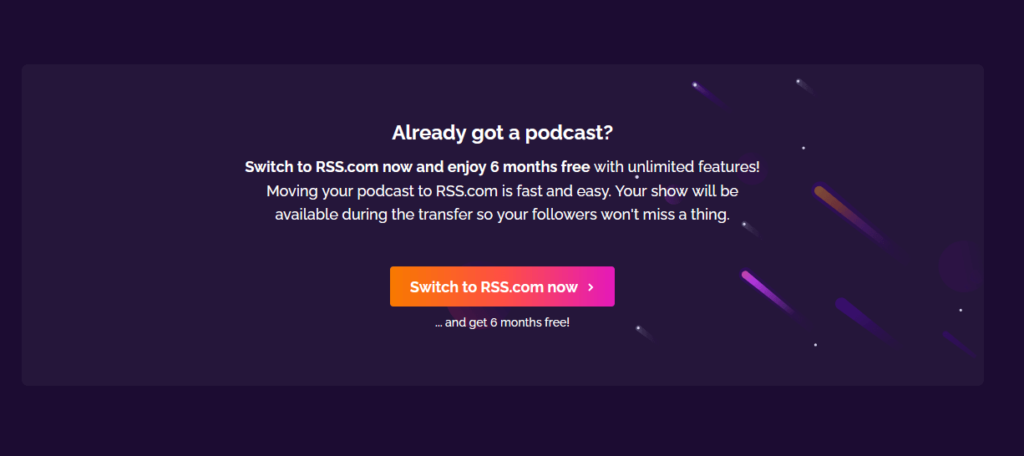
Already have a podcast? Even better! You can switch to RSS.com and get SIX MONTHS FREE. Click here for that offer.

Blubrry vs. RSS.com

If you’re considering Blubrry vs. RSS.com for podcast hosting, here’s a quick comparison. Blubrry has been around longer and offers WordPress integration. However, their storage limits are quite low. RSS.com gives you unlimited storage and episodes. RSS.com’s pricing is more affordable. You get better analytics with RSS.com. Monetization options are stronger with RSS.com. And RSS.com has a more modern, intuitive interface. While Blubrry is a solid option, RSS.com delivers more value overall.

Buzzsprout vs. RSS.com

Buzzsprout and RSS.com are both popular podcast hosts. Buzzsprout has a free plan, but episodes are deleted after 90 days. RSS.com’s pricing is more straightforward and affordable. You get more storage and uploads with RSS.com. Analytics and monetization options are better with RSS.com. Buzzsprout’s interface is simple but lacks some features. RSS.com provides more tools for growth and customization. Overall, RSS.com offers better value for serious podcasters.

Castos vs. RSS.com

Castos and RSS.com are both solid podcast hosts. Castos offers WordPress integration and private podcasting. However, Castos is significantly more expensive than RSS.com. RSS.com gives you unlimited storage and episodes. You get more robust analytics with RSS.com. Monetization options are better with RSS.com. Castos limits episodes to 4 hours, but RSS.com has no limits. While Castos has some unique features, RSS.com provides better overall value.

Libsyn vs. RSS.com

Libsyn and RSS.com are both established podcast hosts. Libsyn has been around longer, but feels a bit outdated. RSS.com has a more modern, user-friendly interface. Libsyn’s storage limits are very low, while RSS.com offers unlimited storage. Analytics and monetization options are better with RSS.com. Libsyn nickel-and-dimes you for basic features. RSS.com pricing is more transparent and affordable. Unless you need Libsyn’s legacy features, and honestly even if you do, RSS.com is the better value for your podcasting dollar!

Podbean vs. RSS.com

Podbean has a free plan, but with limited storage and bandwidth. RSS.com’s pricing is simpler and more cost-effective. You get unlimited storage and episodes with RSS.com. Podbean’s analytics and monetization options are basic. RSS.com provides more robust insights and money-making tools. Podbean’s interface is decent but not as intuitive as RSS.com’s. While Podbean can work for casual podcasting, RSS.com is better for growth and professionalism.

Simplecast vs. RSS.com

Simplecast’s analytics are its main selling point. However, Simplecast gets very expensive as your show grows. RSS.com offers unlimited storage and episodes at an affordable price. You get excellent analytics with RSS.com without the steep costs. Monetization options are comparable between the two. Simplecast’s interface is clean but not as fully-featured as RSS.com’s. RSS.com is the better choice for most podcasters’ needs and budgets.

Spotify for Podcasters vs. RSS.com

Spotify for Podcasters is free, which is appealing to new podcasters. However, you get what you pay for. Spotify can remove your content without warning. They take a larger cut of your ad revenue. Analytics and support are limited. RSS.com is affordable and gives you full control. You keep more of your ad earnings with RSS.com. RSS.com provides better stats and customer service. For serious podcasting, RSS.com beats Spotify for Podcasters.

Spreaker vs. RSS.com

Spreaker also offers a free plan, but it too comes with limited features. RSS.com’s pricing is more affordable for what you get. Spreaker’s analytics and monetization options are basic. RSS.com provides more in-depth insights and revenue opportunities. One unique Spreaker feature is live podcasting. However, RSS.com offers video podcasting which Spreaker lacks. Spreaker’s interface is user-friendly but RSS.com’s is more robust. For most podcasters, RSS.com delivers greater value and flexibility.

Transistor vs. RSS.com

Transistor and RSS.com both offer podcast hosting for networks. Transistor is designed specifically for companies with multiple shows. However, Transistor is significantly more expensive than RSS.com. RSS.com’s Podcast Networks plan is more affordable and just as capable. Storage is unlimited with RSS.com but limited with Transistor. Analytics and monetization are excellent on both platforms. Transistor’s interface is well-designed but in fewer languages than RSS.com’s. Unless you need Transistor’s team member features, RSS.com is the better value. And, honestly, now that RSS.com is offering show collaborator options, you don’t really need the Transistor “team member features” anymore either.


Want an even deeper dive into these comparisons of the top podcast hosting companies? Check out RSS.com’s post The Best Podcast Hosting of 2024 – Compare Pricing & Features.

Help Someone Start a Podcast – Give the Gift of Podcasting This Year

Gift of Podcasting Christmas Blog Banner

Stumped for a gift for the would-be podcaster in your life? Thanks to RSS.com you can now give the gift of podcasting this holiday season!

The holidays are fast approaching, and if you’re anything like me, you’ve already browsed every aisle of every store in search of the perfect gift. But, finding something special for the aspiring podcaster in your life can be tricky. As a podcaster myself and brand ambassador for RSS.com, I’m thrilled to share that they’ve launched their new podcast gift cards – the perfect present I know many of my podcasting pals probably wish they could’ve received when starting out! 

These nifty digital gift cards make it possible to help someone launch a podcast of their own this year (or next!) without breaking the bank. We all know high-quality podcasting equipment can be pricey, but an RSS.com gift card provides affordable access to a top-notch hosting platform. Now you can help that special someone in your life share their stories, ideas, and passions through their own podcast – no matter your budget.

I can think of so many people in my life who could benefit from an RSS.com gift card. From aspiring podcasters to experts looking to build their brand, these gift cards unlock the power of podcasting for anyone with a voice worth sharing.

Who Would Want an RSS.com Gift Card?

Gift of Podcasting - Graphic of the RSS.com gift cards

An RSS.com gift card makes a thoughtful gift for anyone in your life who aspires to start their own podcast. Here are some people who would probably love to receive one:

  • Your friend who keeps talking about starting a podcast
  • The person that won’t shut up about a topic and wants to share their passion
  • Marketers
  • Influencers
  • Wannabe Content Creators
  • Seniors that want to share their stories
  • Students that want real life experiences to use for their dream careers

Through podcasting, thoughts and perspectives can be conveyed through the intimacy of the human voice. Listeners can connect with hosts in a deep, personal way. Podcasters have the freedom to talk about what matters to them without limitation.

Podcasts can entertain, inform, inspire, educate, and spark movements. That’s honestly what fires me up so much about the medium. It’s democratizing the voices of the world. It’s giving a voice to everyone!

Hearing a diversity of voices benefits us all, and user-friendly platforms like RSS.com allow first-time podcasters to find their voice quickly. 

When you give the gift of podcast hosting, you empower recipients to contribute their voices to people all over the world. You never know whose lives they may impact or what communities they may build.

How the RSS.com Podcast Gift Cards Work

Give the Gift of Podcasting Headphones on a Box

Purchasing an RSS.com gift card is quick and easy. Just head to the company’s gift card page and select the denomination you’d like to give – 3, 5, 8, or 12 months ($20, $50, $75, or $100 respectively).

After entering the recipient’s name and email address along with your own details, choose the date you want the gift email to be delivered. You can also include a personalized message up to 280 characters.

Next, you’ll be directed to the company’s secure payment page to enter your payment information. Once the purchase is complete, you’ll receive a confirmation email and the gift card will be processed.

On the delivery date you selected, the recipient will get an email with a link to redeem their RSS.com gift card credit. They simply click the link, which will direct them to set up an RSS.com account if they don’t already have one.

Once their account is created, they can apply the gift card balance towards any of the paid RSS.com plans. For example, they could get 3 months free on the All in One Podcasting plan which gives them everything they need to launch and grow a podcast. And, if they want more months on the plan, they just pay the difference.

Your recipient can immediately get started creating their podcast, recording episodes, and publishing to RSS.com’s reliable podcasting platform. With the initial fees covered, they can focus on producing great content rather than worrying about costs.

So give the gift of podcasting this year with an RSS.com gift card! It’s an easy and affordable way to help that aspiring podcaster in your life finally launch their show.

Click here to purchase a RSS.com podcasting gift card. 

How to Quickly Get a Podcast On YouTube

How to Quickly Get a Podcast On YouTube Blog Banner

So you want to get a podcast on YouTube? Excellent idea! Read this post to learn how to do it quickly!

Note: This post does contain affiliate links. If you purchase any product/service through one of my affiliate links, this website will receive a small commission at no additional cost to you. Thank you for your support!
Podcast On YouTube - Woman Recording Video With Microphone

Hey, hey, future YouTube podcasters!

Are you ready to add some extra sparkle to your podcasting journey? Oh boy, have I got a treat for you! 🎉 In this kickASH blog post, we’re going to dive into the magical world of turning your podcast episodes into awesome YouTube videos – and we’re going to do it lightning fast!

Yep, you read that right. I know you’re eager to share your fantastic podcast with even more awesome potential listeners, and YouTube is the place to be! So, get ready for a whirlwind adventure as we guide you step-by-step on how to start your very own podcast YouTube channel.

Now, we know you might be thinking, “But, how do I do it quickly and easily?” No worries, my bloggy friend! I’ve got your back! Below I’ll reveal the quickest and easiest method to get your fantastic podcast episodes right onto YouTube as fabulous videos.

Get those creative hats on, buckle up for an exciting ride, and let’s get your podcast soaring high on the YouTube algorithm! 🚀🎙️

Step 1 – Create a YouTube Channel

Here’s the Reader’s Digest version of how to start a YouTube channel:

  1. Sign in or Create a Google Account: If you already have a Google account (like Gmail), great! If not, don’t worry – creating one is a breeze! Just go to Google and click “Sign In” or “Create Account.”
  2. Go to YouTube: Once you’re signed in with your Google account, head over to YouTube (youtube.com) and click on the “Sign In” button if you’re not already signed in.
  3. Create Your Channel: Click on your profile picture (or the cute avatar) in the top right corner of the YouTube page. Then, click on “Create a Channel” and follow the easy-peasy steps to set up your very own YouTube channel!
  4. Choose a Channel Name and Picture: Pick a fun and catchy name for your channel, something that represents you or your content. You can also add a cool profile picture – it could be a photo or a logo that’s totally you!
  5. Customize Your Channel: Make your channel feel like home by adding a cool cover photo and writing a short description about what your channel is all about. It’s like decorating your own creative space!
  6. Upload Your First Video: Get ready to share your fantastic content! Click on the big ol’ “Upload” button (it’s usually an arrow pointing up) and select the video you want to share with the world. While it’s uploading, you can add a title, description, and some fun tags to help people find your video.
  7. Share and Spread the Joy: Ta-da! Your first video is now on your channel! Share it with your friends and family on social media and tell them to check out your awesome new YouTube channel!
  8. Keep Creating and Having Fun: You’re now officially a YouTuber! Keep making more videos, sharing your passions, and having a blast on your channel. Remember, the more you create, the more fun you’ll have, and the more subscribers you might get!

If you are a visual learner, watch this video for a full tutorial with screenshots to walk you through everything.

There you go – your simple and quick guide to start a YouTube channel! Now, let’s get those podcast episodes on your channel so you can show the world what you love to talk about, and spread joy with your amazing content. Let’s do this! 🌟🎉

Step 2 – Get a Podcast Hosting Account with RSS.com

How to Quickly Get a Podcast on YouTube RSS dot Com Homepage

If you don’t already have a podcast yet, and want to start one, you can get started for free with RSS.com! And, use code RSSFREEMONTH for a free month of podcast hosting at checkout.

Why am I pushing RSS.com for this step? It offers the easiest way to get your podcast on YouTube fast. How? Let me explain….

When you sign up for RSS.com, you get instant access to their PodViz integration. PodViz is their ahhhhhmazing audio to video tool that lets you create YouTube videos AND load them to your YouTube channel with just one click.

It takes your podcast episode title, episode description, transcript, chapters and more and turns it into a moving picture video.

Here’s what my first PodViz video looks like on my own YouTube channel:

My goal is to turn all of my past and future podcast episodes into YouTube videos so I can score sweet access to a whole mess of potential new listeners. It’s seriously that easy to get your podcast on YouTube! I couldn’t believe it the first time I played with the feature.

By the way – this is why it’s so important to have an awesome description for your episodes, and put some thought into your episode titles and chapter titles too. I’m going through the process of updating my back catalog before I distribute all of my old episodes to YouTube to give them the best possible chance of finding the right people.

Step 3 – Make a Bunch of Podcast Episodes and Turn Them Into Videos

Okay, so admittedly, this is going to be the most time consuming part of getting your podcast on YouTube. BUT, if you have a whole backlog of episodes like I do, you can start distributing those sexy pieces of content as videos immediately.

Once you click the button to generate a video onto your YouTube channel, you will receive an email that says it’s been published and voila! One more opportunity to get access to a plethora of people who could become your next superfans!

And, if you have a podcast on some other platform and want to transfer to RSS.com, you can get SIX MONTHS of free podcast hosting when you switch. Just head here, scroll down on the page and click “Switch to RSS.com now” and you will be guided through every step of the way

How to Quickly Get a Podcast on YouTube Switch to RSS dot com

You should also watch this video on how to create a podcast playlist on YouTube so you can get access to YouTube’s podcaster perks:

As I start loading more of my podcast episodes, I’ll be sure to update this page with my progress, what I’m experiencing, and all the things.

Thanks for stopping by. If you want to learn more about how to start a podcast, check out one of these posts:

Podcasting YouTube Roundup

Podcasting YouTube Roundup Blog Banner

Want to learn how to launch and grow a podcast? If so, this podcasting YouTube roundup is perfect for you!

Note: This post does contain affiliate links. If you purchase any product/service through one of my affiliate links this website will receive a small commission at no additional cost to you. Thank you for your support!
Podcasting YouTube Roundup - Podcast Studio Equipment

Podcasting YouTube Roundup – 9 Videos to Help You Start Podcasting

I don’t know about you, but a lot of times when I’m trying to learn something, I’d rather watch YouTube than read a blog post. That’s partially where the idea for this post started – watching YouTube. Then, when my bloggy friends over at RSS.com suggested sharing some of their amazing content with my audience it was the nudge I was waiting for to create this Podcasting YouTube Roundup for you to read, er I mean watch 🤣

Before we get into it, if you are interested in starting a podcast for yourself, click here and use code RSSFREEMONTH at checkout for 30 days of FREE podcast hosting!

Okay! Without further ado, here are the videos I recommend you check out if you want to start, grow, and monetize a podcast:

Your Guide to Starting a Podcasting Channel on YouTube

Seven Steps to Starting a Podcast

Make Money with Bitcoin with Your Podcast

Get Your Podcast on Spotify

10 Things to Consider Before Starting a Podcast

Picking the Best Podcast Category for Your Show

Growing a Podcast Audience Can Be Easy

ChatGPT Plus Transcriptions Means Easy Podcast Promotion

Are You Promoting Your Podcast on Social Media? If Not, You Should Be!

And, I’m going to toot my own horn a little bit. Here’s a a playlist of all the episodes I’ve produced and hosted so far on behalf of RSS.com:

Finally, here’s a playlist of the “Quick Hits” of the episodes I’ve produced and hosted if you’re short on time, but want the knowledge bombs guests dropped over the past couple of years:

Stay tuned for more. And don’t forget if you’re ready to start a podcast, click here and use code RSSFREEMONTH at checkout for 30 days of FREE podcast hosting!